
Guides
Best Alarm App for Heavy Sleepers on iPhone (2026): 8 Picks by Job
Quick answer
The best alarm app for heavy sleepers depends on why the alarm fails you. First set iPhone's alarm volume and turn off snooze, then pick by job: Alarmy for the most missions, WakeUpBroo or Opto Wake to put the off switch out of reach, Unsnoozable to move, Lasso for hardware, Sleep Cycle for a gentler wake-up, or Daylino (coming soon) for a photo away from bed.
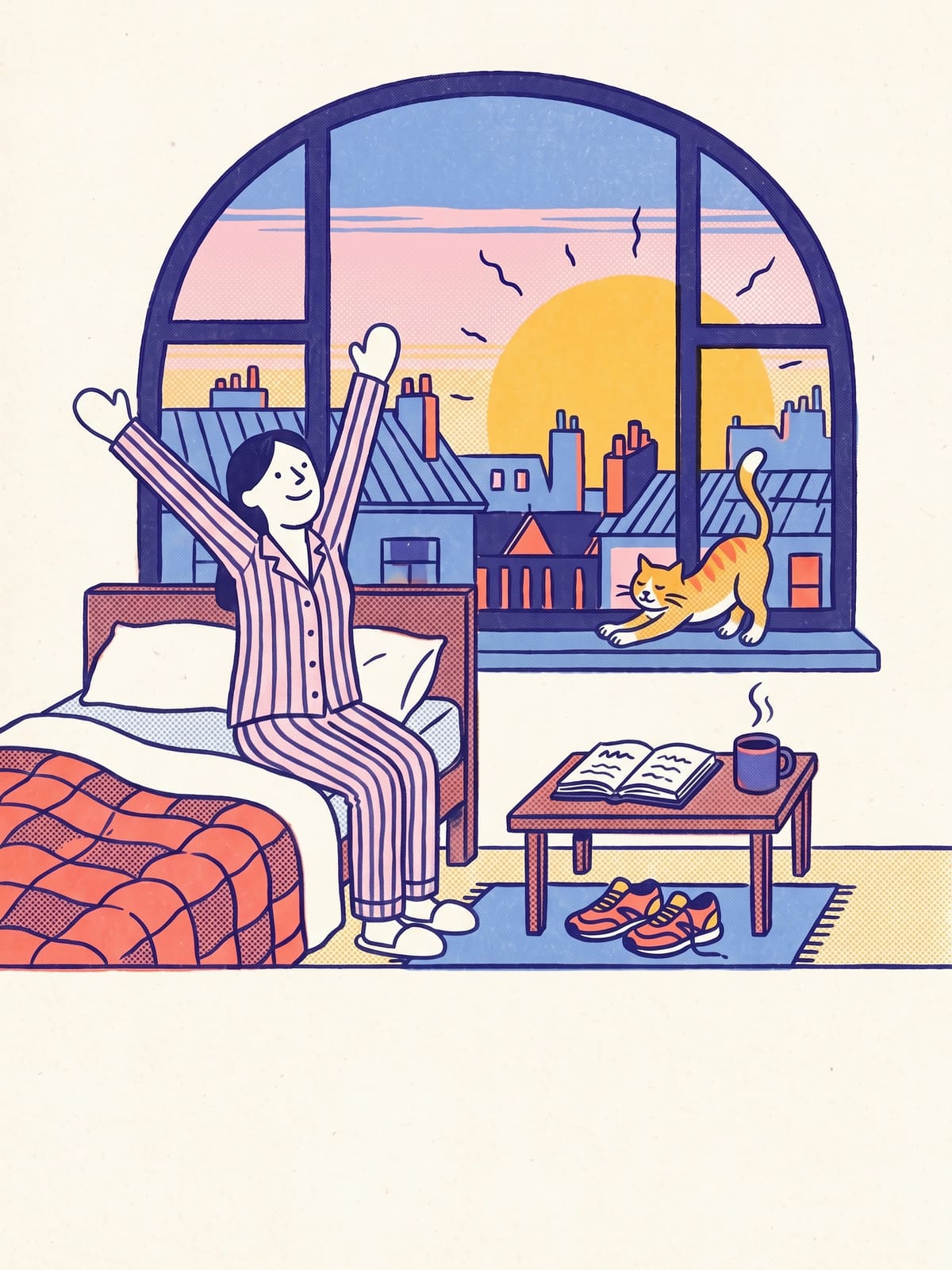
TL;DR: The best alarm app for heavy sleepers depends on why the alarm fails. If you sleep through the sound, fix iPhone's alarm volume first: Clock already rings through Silent mode and Focus. If you switch it off in bed, pick an app that makes you get up to stop it: Alarmy, WakeUpBroo, Opto Wake, Unsnoozable or Lasso. Daylino, the alarm we make, stops with a photo away from bed. It is coming soon to the App Store.
"Heavy sleeper" covers three mornings: you don't hear the alarm, you switch it off without really waking, or you get up and lie back down. Each needs a different fix, so every app below gets the one job it does best, and one real drawback.
The picks at a glance (Prices checked 11 Nov 2026, US App Store)
| Pick | Best for | Cost | Needs | Main drawback |
|---|---|---|---|---|
| Clock | Free starting point | Free, built in | Any iPhone | Stop is one tap from bed |
| Alarmy | The most mission types | Free; in-app purchases $4.99 to $69.99 | iOS 17 or later | Wake Up Check is Premium |
| WakeUpBroo | Off switch on another device | Free download; Pro to set alarms ($1.49 and $9.99 listed) | iOS 15.1 or later | Hard mode needs a computer |
| Opto Wake | No subscription, tap a tag | Free, no in-app purchases | iOS 26.1 or later, an NFC tag | Three emergency releases, ever |
| Unsnoozable | Moving your body | Free; Pro Yearly $24.49 | iOS 26 or later | Subscription for full use |
| Lasso | A physical device | App free; device: see their site; extra user $11.99 | iOS 26.2 or later, a Lasso device | One more gadget to buy |
| Daylino | Photo away from bed, then your goal | Coming soon; no free version | iOS 26 or later | Not out yet |
| Sleep Cycle | A gentler wake-up | Free; Premium purchases $1.99 to $69.99 | iOS 16.2 or later | Doesn't get you out of bed |
App Store listings show up to ten in-app purchases and don't always say whether a price is weekly, monthly or yearly, so we quote them as listed.
First, the phone settings that help
Free, and every app below depends on them:
- Turn the alarm itself up. In Settings, Sounds & Haptics. On iOS 27, Apple's guide shows a separate volume under Alarms and Timers: turn off Match Ringtone Volume and drag that slider (Apple). By default, alarms match your ringtone volume (Apple).
- Silent mode and Focus aren't the problem. Apple says a Clock alarm still sounds with Silent mode, Do Not Disturb or another Focus on, and Sleep Focus is a Focus (Apple).
- Check the sound isn't None. Then it only vibrates. And in StandBy, Apple says alarm haptics are turned off (Apple).
- Check Attention Aware Features (Settings, Accessibility, Face ID & Attention). It lets iPhone lower the volume of some alerts when it sees you looking (Apple). If your alarm quiets down as you glance at it, try it off.
- Turn off snooze. Each Clock alarm has its own Snooze switch, and the wake-up alarm in your Health sleep schedule has its own sound, volume and snooze option (Apple).
More detail: how to make your iPhone alarm louder, iPhone alarm not going off and how to set a sleep schedule on iPhone.
The best alarm apps for heavy sleepers, by job
1. Best free starting point: Apple Clock, snooze off
Clock is free, already installed, and rings through Silent mode and Focus. Set one alarm, turn its Snooze switch off, and charge the phone across the room.
Drawback: Stop is a single tap, and nothing checks you're awake. Our no snooze alarm clock guide covers the free setups.
2. Best for the most mission types: Alarmy
Alarmy lists math, memory games, shaking, squats and a Photo Mission, plus Anti-Snooze, a sleep tracker and sleep sounds. Its 2 November update lets you combine several missions on one alarm. It's a free download with a 7-day free trial of Premium; in-app purchases are listed from $4.99 to $69.99.
Drawback: the heavy-sleeper extras are Premium. Alarmy's iOS help center says that when Premium ends, Premium missions fall back to no mission and Wake Up Check turns off (Alarmy help), and that Prevent Power Off is gone on iOS from version 26.41.0 (Alarmy help). More in is Alarmy free and our Alarmy alternative guide.
3. Best if the off switch should live on another device: WakeUpBroo
WakeUpBroo has no snooze and no dismiss button. Per alarm, you remember three words (Easy), scan the barcode of a random item you saved around your home (Medium), or type a code from wakeupbroo.com/code on a computer that changes every 5 minutes (Hard, the default). Its listing says it rings through Silent mode and Sleep Focus, and again if you silence it.
Drawback: setting alarms requires Pro after a 3-day free trial. The listing shows $1.49 and $9.99; its site says monthly or yearly. Hard mode needs a laptop or tablet.
4. Best with no subscription: Opto Wake and an NFC tag
Opto Wake stops only when you tap an NFC sticker (NTAG213, 215 or 216) placed somewhere else. Its listing says a Lock Screen stop doesn't count, it rings again until you tap, it rings in Silent mode and through Focus, and there are no subscriptions or in-app purchases. Its privacy label says no data collected.
Drawback: you buy and place the tag, it needs iOS 26.1 or later, and Emergency Release for a lost tag gives you three uses, ever. See our NFC alarm clock guide.
5. Best if moving your body wakes you: Unsnoozable
Unsnoozable counts push-ups with the camera, on the phone, with non-physical missions if you can't do push-ups. Its label says no data collected.
Drawback: a subscription unlocks unlimited alarms and every mission (Pro Yearly listed at $24.49, 3-day trial, first morning free). And if you forget your recovery code, its emergency stop releases the alarm after three minutes: kind, but also an exit.
6. Best if you want hardware: Lasso
Lasso pairs your iPhone alarm with a small device you walk to and tap. Its listing mentions an emergency bypass for travel, Apple Watch support and an optional one-time snooze.
Drawback: the app needs a Lasso device (see their site for the price) or a paid seat on someone else's ($11.99 per additional user), and iOS 26.2 or later.
7. Best for the off switch away from bed, then a start to your goal: Daylino (coming soon)
We make Daylino, so weigh this entry with that in mind. Daylino has no snooze button and rings through silent mode and Focus. To stop it, you take a fresh photo of the spot you chose away from your bed: the bathroom sink, your toothbrush, the kettle or coffee machine, a glass of water, the inside of the fridge, or your made bed.
Stop it another way, like the side button, and it rings again a minute later, for up to 15 minutes. If you really can't snap your spot, snap another of your spots or hold for 30 seconds; that morning is logged as "Turned off by hand." Then a second snap records that your morning goal has started, like a book open or shoes on.
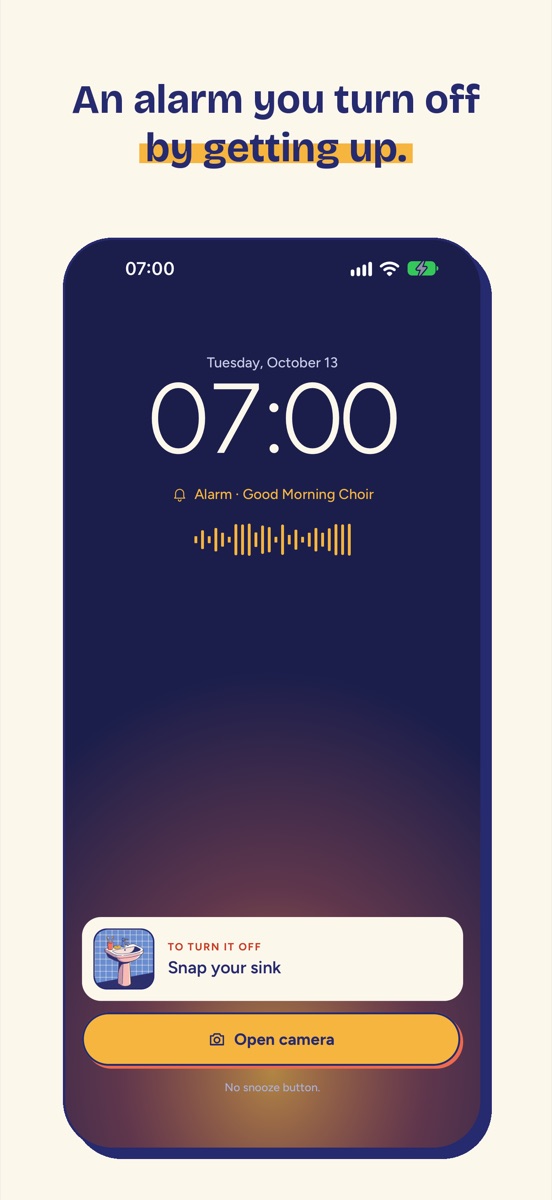
Drawbacks: it isn't out yet, it needs iOS 26 or later, and there is no free version. The check recognizes the object, not where it is, so a glass of water on your nightstand would count: the distance from bed is up to you. Pick something else if you need an alarm tonight or want a free app. See how Daylino works.
8. Best if grogginess is the real problem: Sleep Cycle
Sleep Cycle is a sleep tracker with a Smart Alarm that, per its listing, wakes you during your lightest sleep phase. Free to download; Premium purchases are listed from $1.99 to $69.99.
Drawback: it wakes you gently but doesn't get you up; nothing stops you switching it off in bed.
How we compared
We read each app's own App Store listing (US) and website on 11 Nov 2026, plus Apple's and Alarmy's support pages, and quote prices and features from them. We did not install or test competitor apps, and we use no ratings. Daylino facts come from our own product documents.
Which one should you pick?
- You don't hear it: fix the settings above and keep Clock.
- You switch it off half-asleep: WakeUpBroo, Opto Wake or Lasso. For variety, Alarmy; to move, Unsnoozable.
- You get up but drift: Daylino, once it's out. You feel groggy: Sleep Cycle.
FAQ
What is the best alarm app for heavy sleepers?
It depends on why you miss alarms. For volume, Clock with the alarm turned up is enough; if you switch alarms off in bed, pick one that makes you walk somewhere, like WakeUpBroo, Opto Wake or Lasso.
Is there a free alarm app for heavy sleepers on iPhone?
Yes. Clock is free, and Opto Wake is free with no in-app purchases (you need an NFC tag). Alarmy's core alarm is free, with its heavy-sleeper extras in Premium.
Does the iPhone alarm ring in Silent mode or Sleep Focus?
Yes. Apple says Clock alarms still sound in Silent mode, Do Not Disturb or another Focus. Opto Wake and Daylino, built on Apple's newer alarm system, say the same.
Can an app stop me turning the alarm off with the side button?
No. iPhone always lets you stop a ringing alarm, and apps can't remove that (Tagdawn's listing says so plainly). Good wake-up apps ring again instead: Opto Wake until you tap your tag, Daylino a minute later for up to 15 minutes. No phone alarm can guarantee that you will wake up, so test your setup while you're awake.
When is Daylino coming out?
Daylino is coming soon to the App Store, for iPhone with iOS 26 or later. Follow along at daylino.resonancestudio.ai.
Start with tonight
Tonight, turn the alarm volume up and snooze off. If the alarm still gets switched off from the pillow, pick the app that matches your mornings. If you'd like the off switch to be a photo of your sink or kettle, then a nudge into the morning you planned, see Daylino, coming soon to the App Store. For everyday alarm apps, see the best alarm app for iPhone.